Introducing zanto — a private platform for AI apps you run yourself
June 22, 2026 · Satyam
Most AI tools are someone else’s server with a chat box on top. Your prompts, your files, your keys — all of it round-trips through infrastructure you don’t control. I wanted the opposite: an assistant that lives on my machine, uses the models I pay for, and can actually touch my files without shipping any of it elsewhere. I couldn’t find one that did all three, so I built zanto.
zanto isn’t just a local chat app. It’s a private platform for apps — a shared, local-first engine that powers a general assistant and focused micro-apps on top of it. It’s in early release now for macOS, Windows, and Linux.
The engine
zanto is a desktop app (and a CLI) built in Rust and Tauri. Point it at a provider key — or a model running locally — and it becomes an assistant that can read and edit your files, run commands, browse the web, and render its answers as charts, tables, and documents.
The whole thing runs on your machine and talks directly to whichever model you pick. No zanto account, no relay, no telemetry.
            YOUR MACHINE                         │   ELSEWHERE
                                                 │
   ┌─────────────────────────────────┐          │
   │            zanto                 │          │
   │  ┌───────────────────────────┐  │          │
   │  │  chat · tools · artifacts │  │   prompt  │   ┌──────────────────┐
   │  │  permissions · sessions   │──┼───────────┼──▶│  cloud provider  │
   │  └───────────────────────────┘  │  (the one │   │ OpenAI/Anthropic │
   │      │            │             │  you pick)│   │  /Gemini/…       │
   │      ▼            ▼             │          │   └──────────────────┘
   │  your files   OS keychain      │   …or stays fully local:
   │  (with consent)  (your keys)   │──────────────▶  local Ollama
   └─────────────────────────────────┘          │   (nothing leaves)
                                                 │
files · keys · history never leave this box │- You own the stack. Your API key lives in the OS keychain (or an env var). Prefer fully offline? Point zanto at local Ollama and nothing leaves your laptop.
- 10+ providers, one app. Anthropic, OpenAI, Gemini, Groq, xAI, DeepSeek, Together, Fireworks, Cohere, Ollama. Switch models live; tune temperature, reasoning effort, and more — globally or per provider.
- Tools, with consent. Filesystem read/write/search/edit, shell, web fetch, and PDF/Office parsing. Every file action asks first — allow once, for the session, forever, or deny.
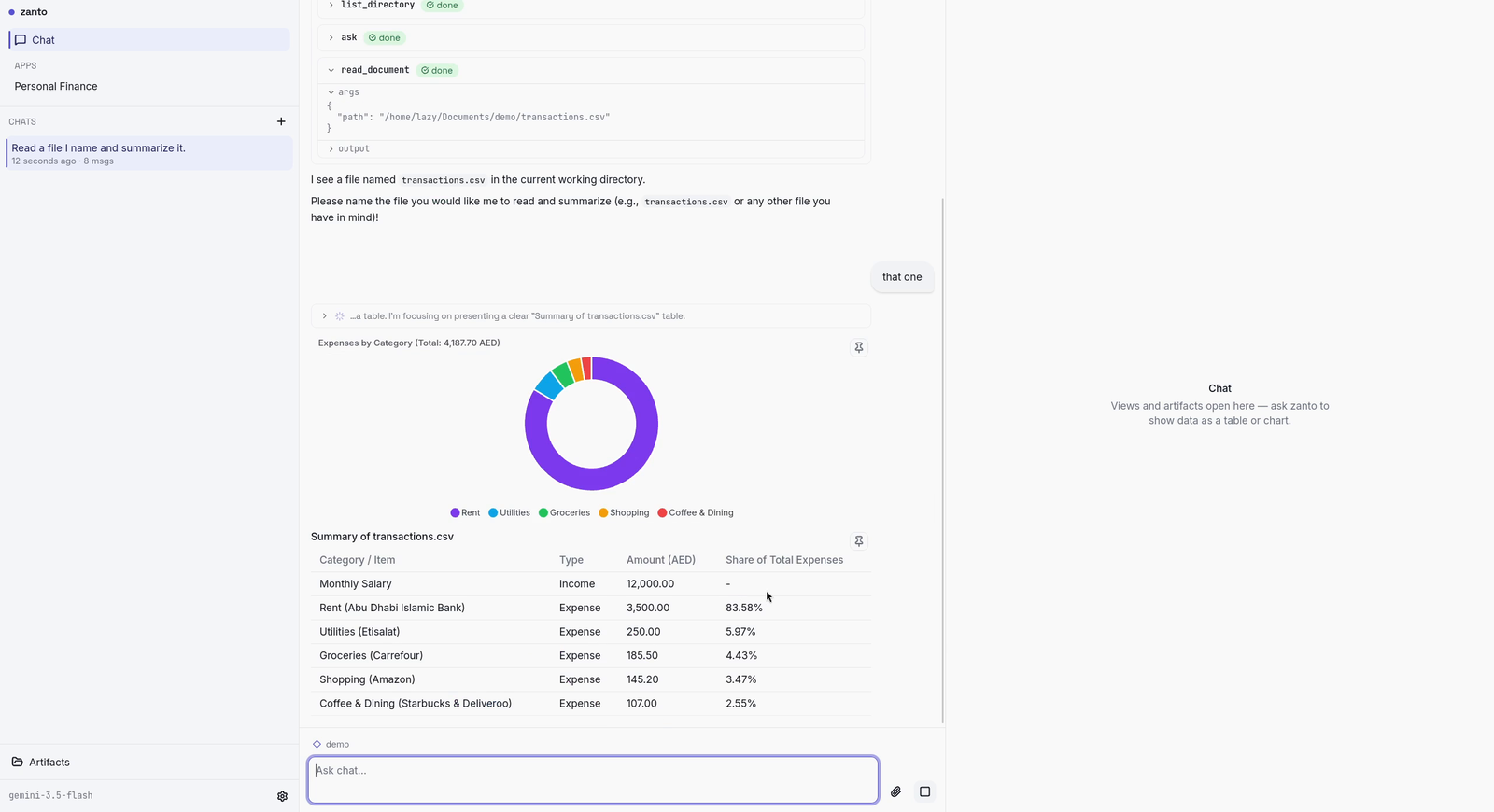
- Artifacts, not walls of text. Ask for a chart and you get a chart, inline or on a side canvas. Pin the ones worth keeping.
- Sessions that survive. SQLite-backed, crash-safe, resumable, with automatic summarization so long conversations stay in budget.
Apps on the same engine
The part I’m most excited about: the same private engine hosts focused apps. The first is Personal Finance — point it at statements and files on your disk and it tracks transactions, budgets, accounts, and net worth, all locally. No bank login, no cloud sync, no data broker in the middle. Your money data is just files on your machine that an assistant can reason about, on your terms.
That’s the bet behind zanto: a privacy-first base that real apps can stand on. Personal Finance is the first; it won’t be the last.
   ┌────────────┐  ┌──────────────────┐  ┌────────────┐
   │ Assistant  │  │ Personal Finance │  │    CLI     │   ← apps
   └─────┬──────┘  └────────┬─────────┘  └─────┬──────┘
         │                  │                  │
         └──────────────────┼──────────────────┘
                            ▼
   ┌─────────────────────────────────────────────────┐
   │              zanto engine  (Rust)                │   ← one shared,
   │  models · tools · permissions · sessions · store │     local-first core
   └─────────────────────────────────────────────────┘
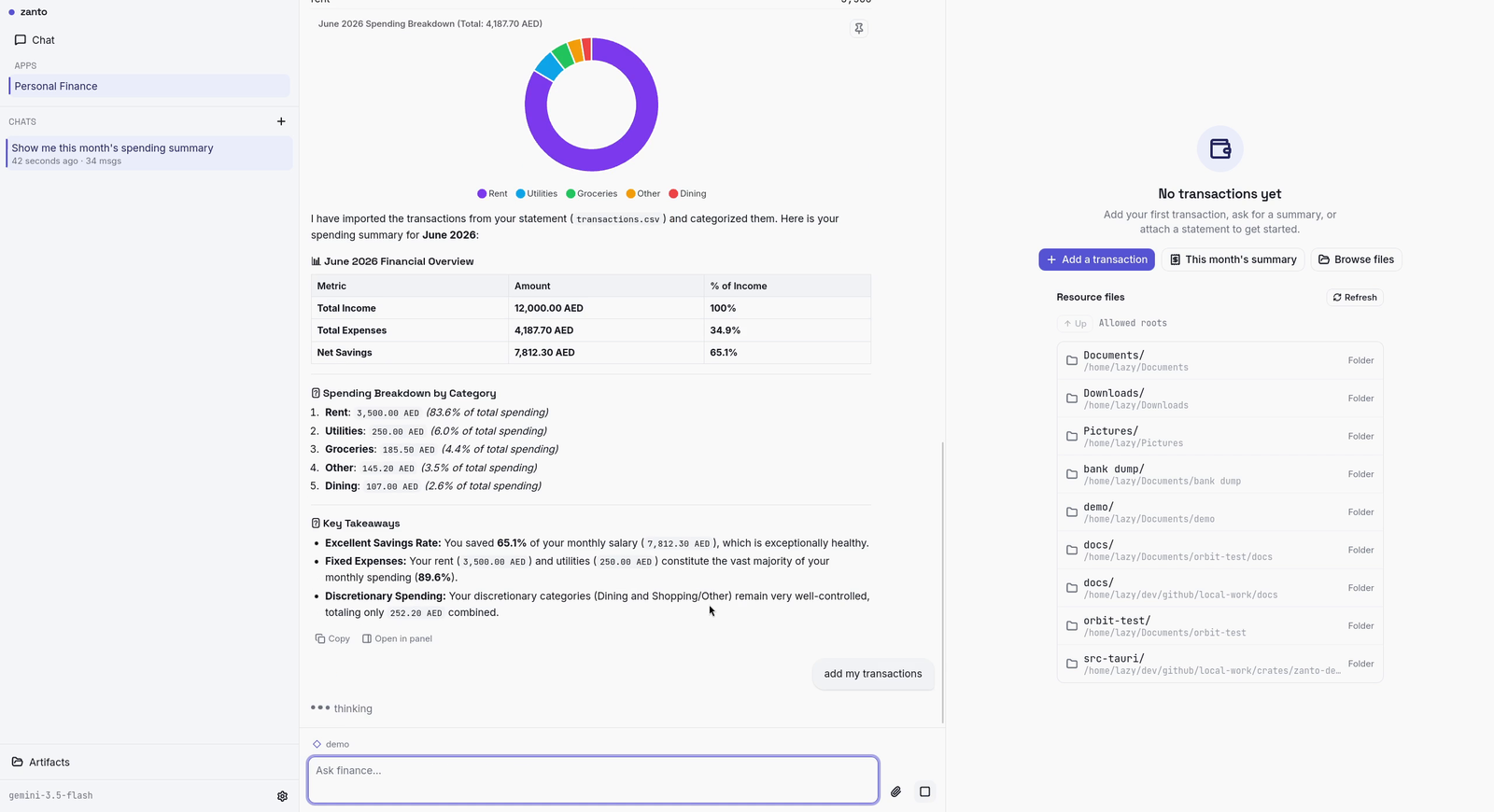
Point Personal Finance at a statement and it imports and categorizes the transactions — all locally:
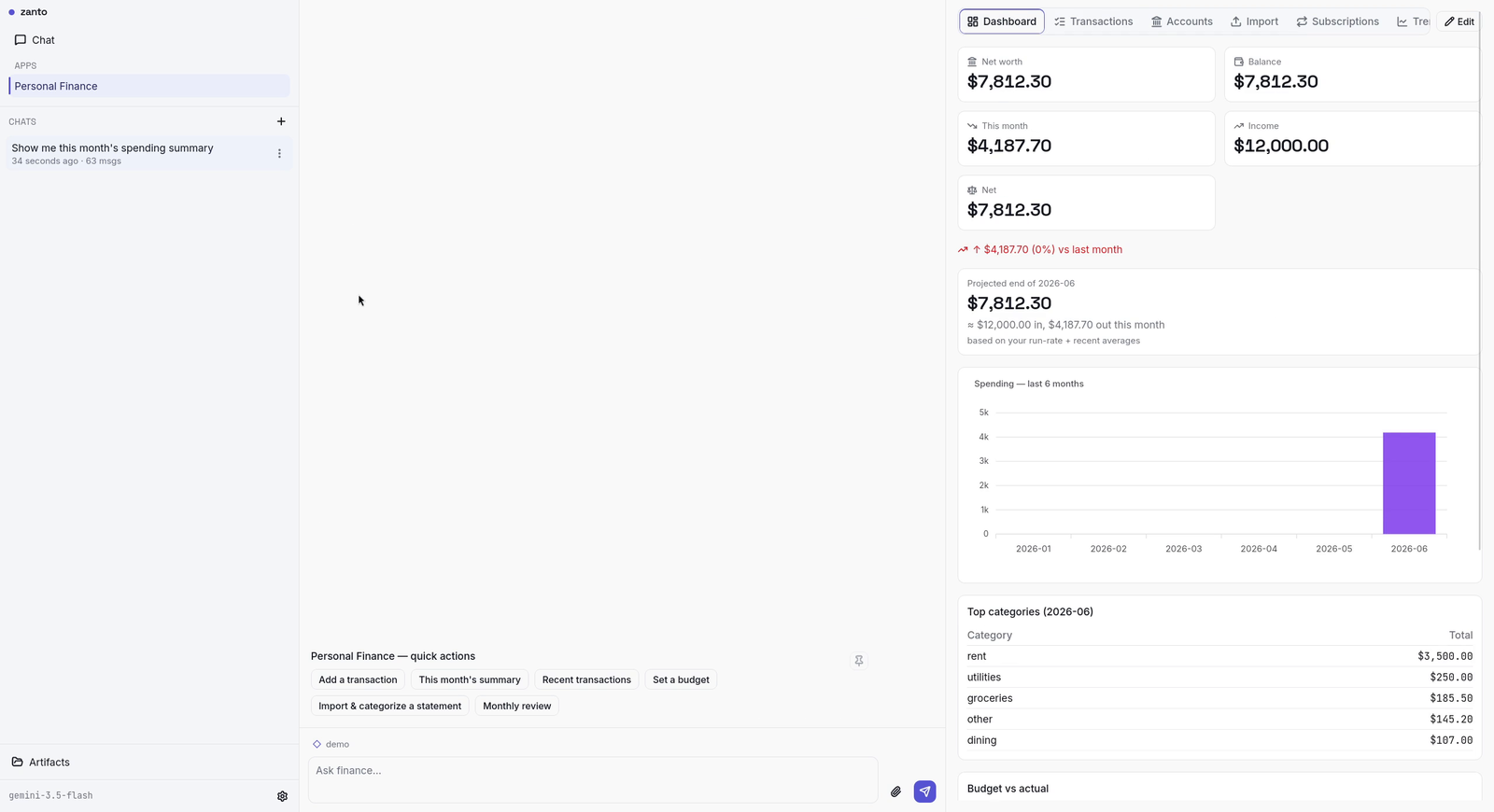
…and rolls them up into a dashboard with net worth, spending, and top categories:
Why “private” actually means something here
A lot of products say “private.” For zanto it’s structural, not a policy page:
- Prompts go only to the provider you configure — or to a model on your own machine. There’s no zanto server in the path.
- File and shell access is permission-gated every time, not granted once and forgotten.
- Telemetry is off, because there’s nothing to phone home to.
A technical user can set this up for a non-technical parent or friend and hand them an AI that genuinely keeps their files to themselves.
Honest caveats
Early builds aren’t notarized yet. The macOS build is ad-hoc signed, so it opens with a one-time right-click → Open — no Terminal command. There are two macOS downloads: pick Apple Silicon or Intel. Windows isn’t signed yet, so SmartScreen will want a “Run anyway.” There’s no auto-update yet — you grab a new build when one ships. Developer-ID signing, notarization, and an updater are the first things on the list.
Try it
Download for your platform from the latest release, set a provider key or fire up Ollama, and ask it something about your own files — or open Personal Finance and point it at a statement. If you build something neat — or hit something broken — the repo is open.
More soon.